
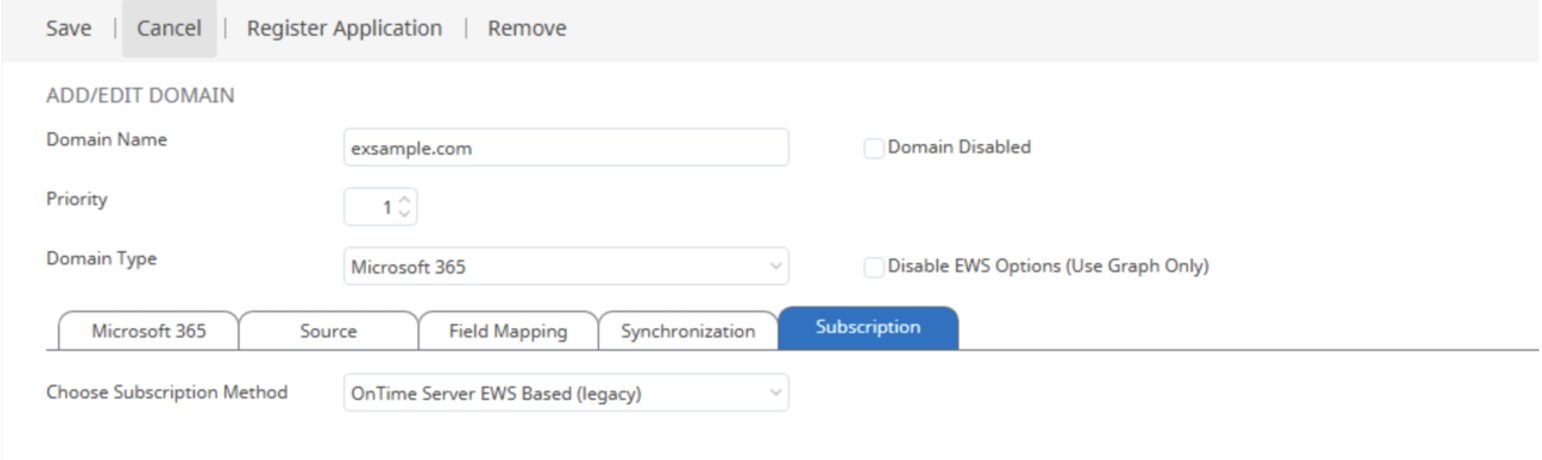
a) Using EWS Based (Legacy) event subscription
From the drop–down list, ‘Choose Subscription Method’ select ‘OnTime Server EWS Based (Legacy)’.
Click ‘Save’. Then, in the OnTime Dashboard, stop and restart the application. (see the example below)
b) Using OnTime Server Graph Based event subscription
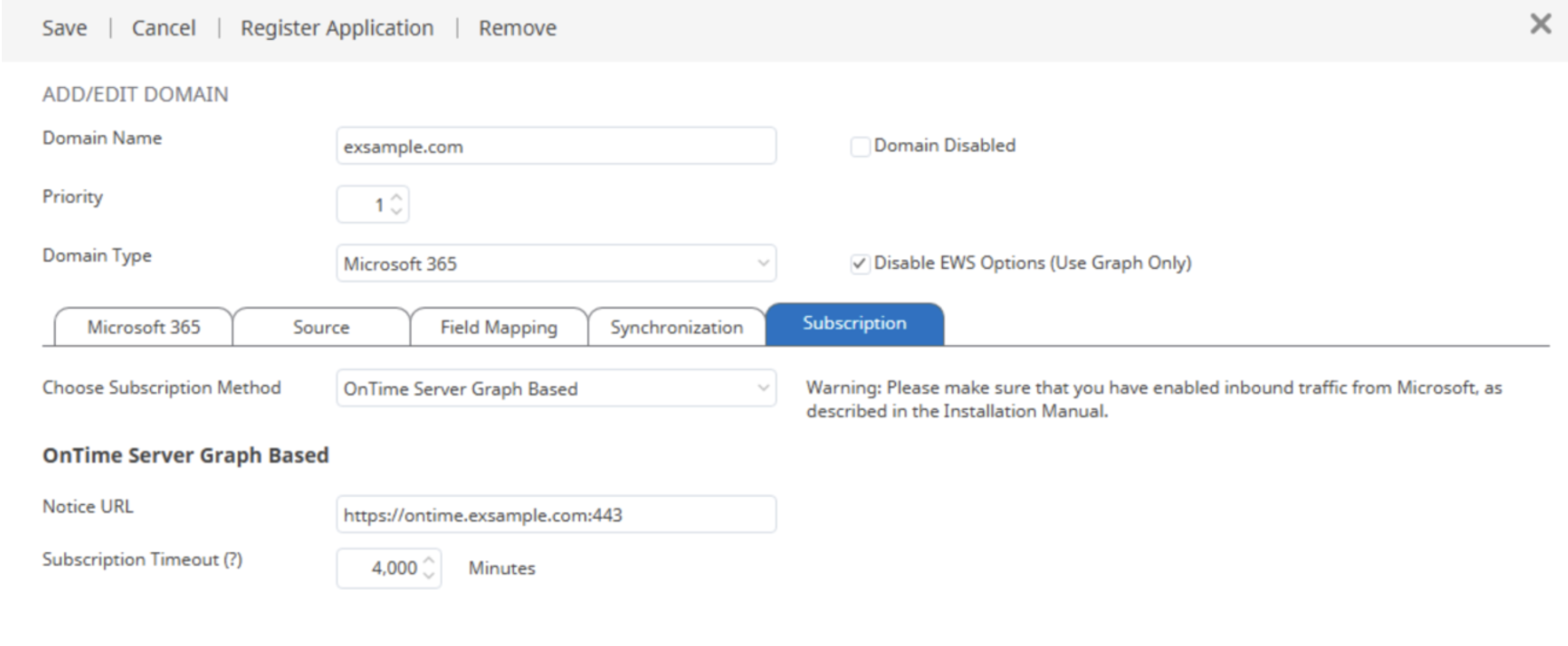
From the ‘Choose Subscription Method’ drop-down list, select ‘OnTime Server Graph Based’.
Follow the section “Prerequisites for Graph-Based OnTime Server Configuration”
In the ‘Notice URL’ field, enter the full HTTPS OnTime server URL including the port number.
Click ‘Save’. Then, in the OnTime Dashboard, stop and restart the application.
c) Using External Subscription Hub Graph-Based event subscription
From the drop–down list, ‘Choose Subscription Method’, select ‘External Subscription Hub Graph-Based’. Go to Subscription Hub Configuration
Full disable using EWS
If you want to disable all connections to EWS, select the “Disable EWS Options (Use Graph Only)” checkbox. Click “Save.” Then, in the OnTime Dashboard, stop and restart the application.
This will switch all configurations to use only Microsoft Graph, and EWS can then be disabled at the tenant level.

Graph-Based External Subscription Hub / Subscription Hub Topology